Color Fields
Color fields provide a flexible way to store hexadecimal color values. You can define a palette to guide authors 5.6.0+, or use an open-ended input.
#Settings
#Palette
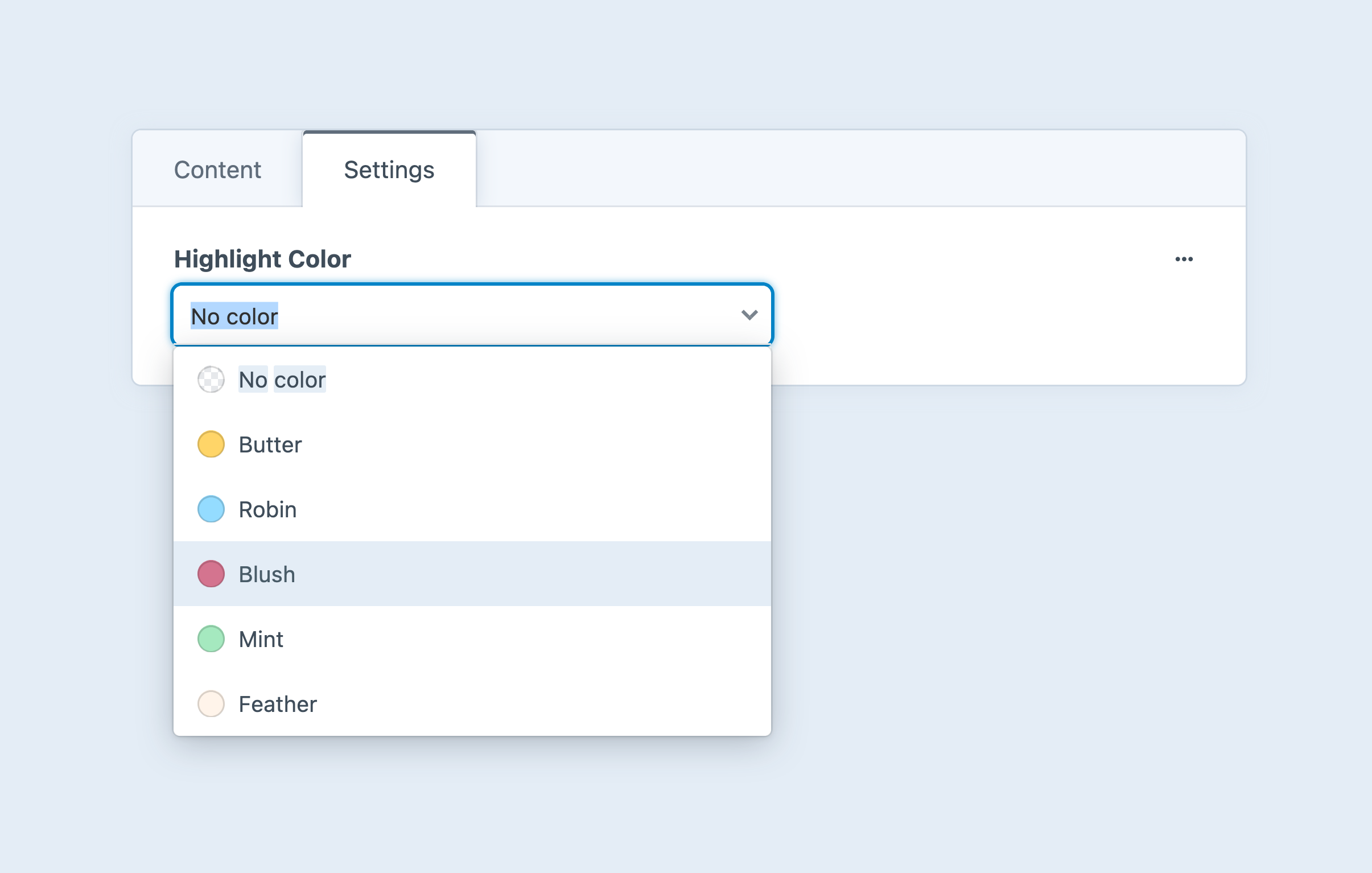
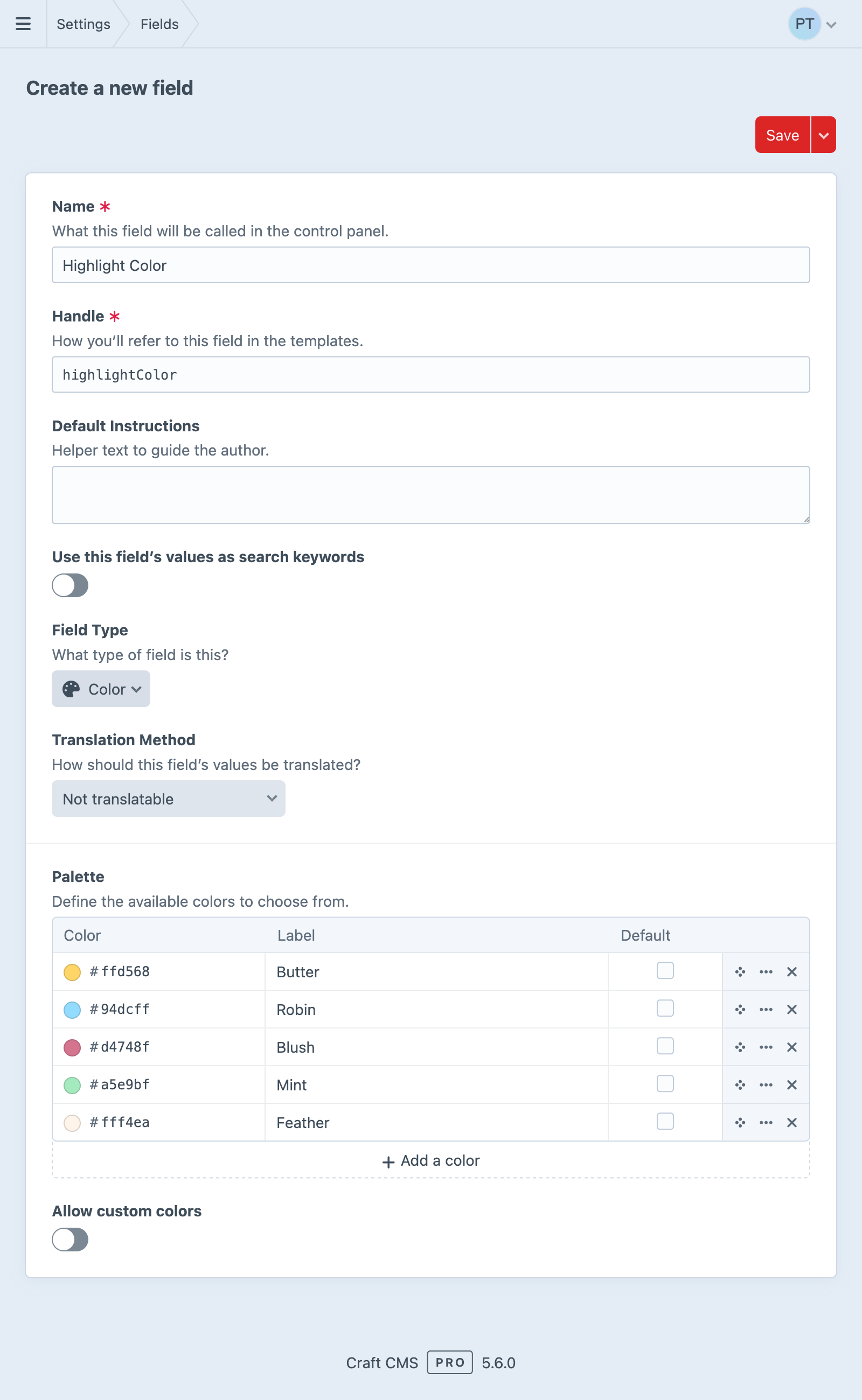
Each field contains a Palette of colors that authors can select from a dropdown menu.
Palette colors can be translucent.
5.12.0+ Enter an 8-digit hex value (like #0000ff80) where the last two digits are the alpha channel, or set the opacity in the color picker, in browsers that support it.
#Custom Colors
Turn on Allow custom colors to display a compact input and color preview UI. When used in conjunction with a palette, an additional Custom… option is listed at the bottom of the dropdown menu.
In browsers that support <input type="color"> (opens new window), clicking on the color preview “well” opens a native OS color picker.
Turn on Allow opacity for custom colors 5.12.0+ to let authors pick translucent custom colors, either with the color picker (in browsers that support it) or by entering an 8-digit hex value. Otherwise, custom colors must be fully opaque. This setting only appears when Allow custom colors is on.
#GraphQL Mode 5.12.0+
When GraphQL is enabled, the GraphQL Mode setting determines how the field’s values are represented in the GraphQL API:
- Full data — Values are objects with sub-selections for each color component and format.
- Hex only — Values are just the color’s hex string.
New color fields default to Full data. Fields created before Craft 5.12 retain the Hex only mode, so existing queries continue to work.
#Development
Accessing a color field returns a craft\fields\data\ColorData (opens new window) object, or null if no color was selected.
Casting a ColorData object to a string by outputting it directly produces a hexadecimal representation of the color:
{% if entry.myColorField %}
  <style type="text/css">
    .content a {
      {# Directly outputting the value... #}
      color: {{ entry.myColorField }};
    }
    .content b {
      {# ...is equivalent to: #}
      color: {{ entry.myColorField.getHex() }};
    }
  </style>
{% endif %}
if ($entry->myColorField) {
    echo $entry->myColorField;
    // …is equivalent to…
    echo $entry->myColorField->getHex();
}
ColorData objects have a number of methods that streamline working with color values:
{% if entry.myColorField %}
  {{ entry.myColorField }}                 {# output: #e5422b #}
  {{ entry.myColorField.getHex() }}        {# output: #e5422b #}
  {{ entry.myColorField.getRgb() }}        {# output: rgb(229,66,43) #}
  {{ entry.myColorField.getHsl() }}        {# output: hsl(7,81%,90%) #}
  {{ entry.myColorField.getLuma() }}       {# output: 0.38820862745098 #}
  {{ entry.myColorField.getHue() }}        {# output: 7 #}
  {{ entry.myColorField.getLightness() }}  {# output: 90 #}
  {{ entry.myColorField.getSaturation() }} {# output: 81 #}
  {{ entry.myColorField.getRed() }}        {# output: 229 #}
  {{ entry.myColorField.getGreen() }}      {# output: 66 #}
  {{ entry.myColorField.getBlue() }}       {# output: 43 #}
{% endif %}
if ($entry->myColorField) {
    echo $entry->myColorField;                  // output: #e5422b
    echo $entry->myColorField->getHex();        // output: #e5422b
    echo $entry->myColorField->getRgb();        // output: rgb(229,66,43)
    echo $entry->myColorField->getHsl();        // output: hsl(7,81%,90%)
    echo $entry->myColorField->getLuma();       // output: 0.38820862745098
    echo $entry->myColorField->getHue();        // output: 7
    echo $entry->myColorField->getLightness();  // output: 90
    echo $entry->myColorField->getSaturation(); // output: 81
    echo $entry->myColorField->getRed();        // output: 229
    echo $entry->myColorField->getGreen();      // output: 66
    echo $entry->myColorField->getBlue();       // output: 43
}
You may also access any of the color components as properties: 5.8.0+
{{ entry.myColorField.hex }}
{{ entry.myColorField.rgb }}
{# ... #}
#Translucency and Other Formats 5.12.0+
When a color isn’t fully opaque, its hex value (whether output directly or via hex/getHex()) includes the alpha channel as two extra digits, like #e5422b80. Fully opaque colors are still output as 6-digit hex values. Pass false to getHex() to always get the 6-digit value, without the alpha channel.
ColorData objects also provide these formats and helpers:
{# Given a value of #e5422b80: #}
{% set color = entry.myColorField %}
{{ color.hex }}                    {# output: #e5422b80 #}
{{ color.getHex(false) }}          {# output: #e5422b #}
{{ color.alpha }}                  {# output: 0.5 #}
{{ color.rgba }}                   {# output: rgba(229,66,43,0.5) #}
{{ color.hsla }}                   {# output: hsla(7,78%,53%,0.5) #}
{{ color.rgbChannels }}            {# output: 229 66 43 #}
{{ color.oklch }}
{# output: oklch(61.54% 0.2033 31.22 / 0.5) #}
{{ color.contrastColor }}          {# output: #000000 #}
{{ color.contrastRatio('#ffffff') }} {# output: 4.0810201549497 #}
// Given a value of #e5422b80:
$color = $entry->myColorField;
echo $color->hex;                       // output: #e5422b80
echo $color->getHex(false);             // output: #e5422b
echo $color->alpha;                     // output: 0.5
echo $color->rgba;                      // output: rgba(229,66,43,0.5)
echo $color->hsla;                      // output: hsla(7,78%,53%,0.5)
echo $color->rgbChannels;               // output: 229 66 43
echo $color->oklch;
// output: oklch(61.54% 0.2033 31.22 / 0.5)
echo $color->contrastColor;             // output: #000000
echo $color->getContrastRatio('#ffffff'); // output: 4.0810201549497
alphais a number between0(fully transparent) and1(fully opaque).rgbChannelscontains just the space-separated red, green, and blue channels, which is handy for defining a CSS custom property that you combine with your own opacity:rgb(var(--brand) / 50%).oklchonly includes the alpha channel (/ 0.5) when the color isn’t fully opaque.contrastColoris either black (#000000) or white (#ffffff), whichever contrasts more with the color—useful for choosing a legible text color to display over it.contrastRatio()returns the WCAG 2 contrast ratio (opens new window) (between1and21) between the color and another color, passed as a hex value orColorDataobject. The result isn’t rounded, so you can compare it directly against WCAG thresholds like4.5. Alpha channels are ignored when calculating contrast.
{% set color = entry.myColorField %}
{% if color %}
  <div style="background-color: {{ color }}; color: {{ color.contrastColor }};">
    {{ entry.title }}
  </div>

  {% if color.contrastRatio('#ffffff') < 4.5 %}
    {# This color isn’t suitable for white text! #}
  {% endif %}
{% endif %}
#GraphQL
When the field’s GraphQL Mode is Hex only, it returns a hex string (which may include an alpha channel). In Full data mode, you can select any of these fields: hex, label, red, green, blue, alpha, hue, saturation, lightness, luma, rgb, rgba, rgbChannels, hsl, hsla, oklch, contrastColor, and contrastRatio.
query Swatches {
  entries(section: "swatches") {
    title
    ... on swatch_Entry {
      myColorField {
        hex
        opaqueHex: hex(withAlpha: false)
        label
        rgba
        contrastColor
        contrastRatio(with: "#ffffff")
      }
    }
  }
}
The hex field accepts a withAlpha argument (default true), and contrastRatio requires a with argument containing the hex value of the color to compare against.
Refer to the ColorData (opens new window) class reference for a complete list of methods!
#Querying by Color
There are no special query features for color fields; refer to the plain text field for a list of standard string comparison syntaxes.